These prompts and section cues are suggestions to compare, not a documented model test or a guarantee. Responses can vary by model, interface and take; listen to the complete result before using it.
Why structure tags matter
Without section markers, Suno often guesses the form. You may get a pleasant loop with no clear hook, or a chorus that never repeats. Tags turn lyrics into an arrangement brief.
Keep Style (genre, mood, instruments, vocal type) separate from Lyrics (words + tags). Mixing both into one paragraph usually weakens both.
Core tags that cover most songs
Put each tag alone on its own line, then the lyric lines for that section:
[Intro]
[Verse]
[Pre-Chorus]
[Chorus]
[Verse]
[Chorus]
[Bridge]
[Chorus]
[Outro]| Tag | Job |
|---|---|
[Intro] |
Sets mood before lyrics (often short / instrumental-leaning) |
[Verse] |
Story and detail; usually longer lines |
[Pre-Chorus] |
Lift into the hook |
[Chorus] |
Short, repeatable payoff |
[Bridge] |
Contrast — new melody, harmony, or perspective |
[Outro] |
Resolve or fade |
[Instrumental] |
Requests an instrumental passage; check for unwanted voices |
[Drop] |
Useful for electronic / dance energy spikes |
A copy-paste lyric skeleton
[Intro]

[Verse]
City lights smear on the glass
I keep the tempo in my chest

[Pre-Chorus]
Hold the quiet one more bar

[Chorus]
Stay in the neon, stay in the sound
We only get this night around

[Verse]
Rain writes notes on the street
My headphones drown the beat

[Chorus]
Stay in the neon, stay in the sound
We only get this night around

[Bridge]
If the morning takes the glow
Leave me one more radio

[Chorus]
Stay in the neon, stay in the sound
We only get this night around

[Outro]
Writing rules that improve hooks
- Chorus shorter than verse — 2–4 lines often stick better than 8.
- One promise per chorus — repeat the emotional center, not a new essay.
- Singable vowels — open sounds travel better than dense consonant clusters.
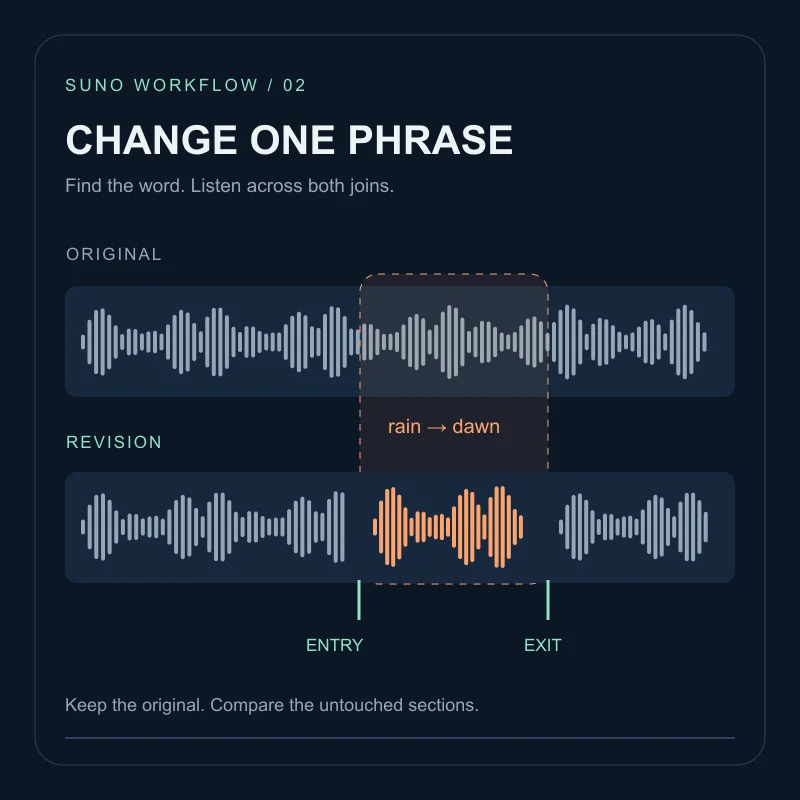
- Change one section at a time when iterating; if the hook works, leave it alone.
Performance cues (optional)
When the melody is right but delivery is flat, add a short direction on the tag line:
[Verse: intimate, close-mic]
[Chorus: belted, open vowels]
[Bridge: half-time feel]
Keep cues short. Long stage directions in every tag can muddy the model.
Workflow in your chosen workspace
- Lock Style with genre + mood + vocal + instruments.
- Paste the tagged lyrics skeleton above.
- Generate in the workspace you use and keep the model and settings in your notes.
- Keep the best chorus; rewrite only the weakest verse.
- Rebuild the Style in the prompt builder if the genre drifts.
Use the tags to communicate a section plan, then listen for the actual transitions and repetitions before deciding what to change.
FAQ
Where do structure tags go?+
Put [Verse], [Chorus], [Bridge], and similar tags in the Lyrics field on their own lines — not in the Style prompt.
Do I need tags for every section?+
At minimum use Verse and Chorus. Adding Intro, Pre-Chorus, Bridge, and Outro usually makes the arrangement clearer.
Can tags include performance notes?+
Yes. Many creators use forms like [Chorus: belted vocals] or [Verse: whispered] to nudge delivery per section.